AI Rendering vs Traditional Rendering: The Honest Breakdown for 2026
Introduction
A few years ago, AI rendering was treated as a novelty. Designers experimented with it, generated a few impressive images, and then returned to their traditional workflows. In 2026, that conversation has changed completely.
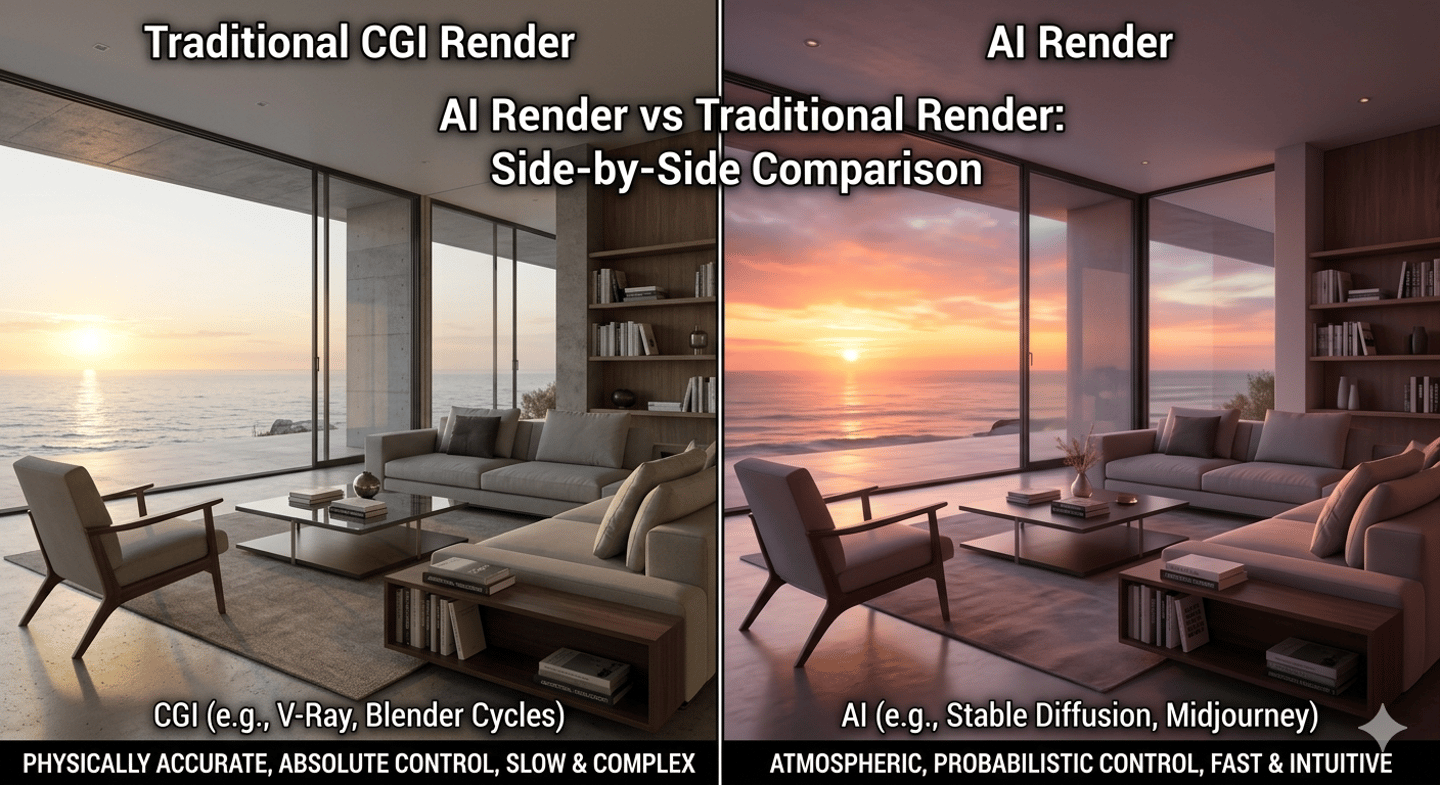
Today, AI rendering can produce stunning visuals in minutes, while traditional rendering remains the benchmark for precision, technical control, and client-ready accuracy. The real question is no longer which one is better. The question is when each method should be used.
The Evolution of Architectural Visualization
Traditional rendering workflows built with tools such as 3ds Max, Corona Renderer, and V-Ray have defined the industry for years. These workflows provide full control over lighting, materials, camera settings, composition, and construction accuracy.
AI rendering introduced a different approach. Instead of building every detail manually, designers can generate highly polished concepts from sketches, clay models, screenshots, mood boards, or text prompts.
Both approaches now serve different purposes inside modern design studios.
Where AI Rendering Excels
1. Speed
Speed is AI's biggest advantage.
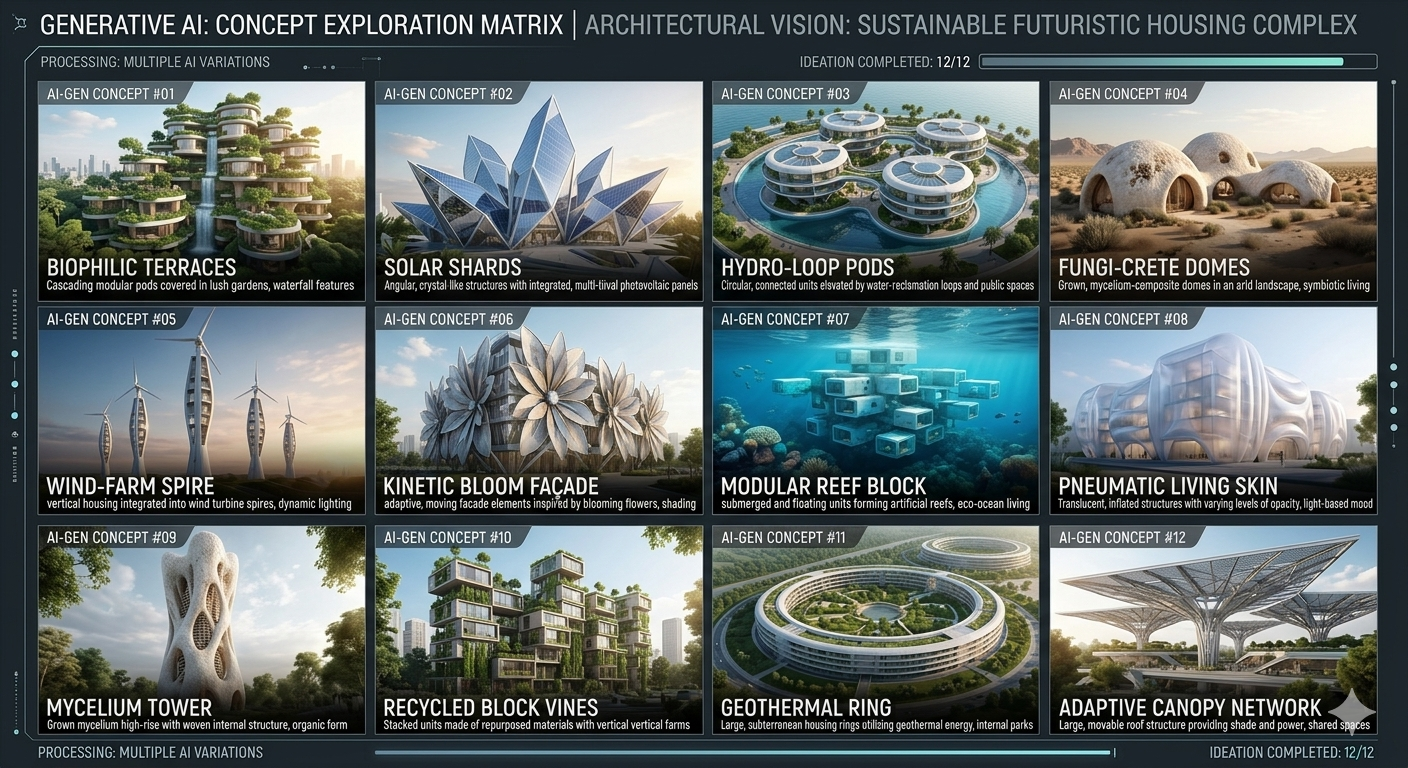
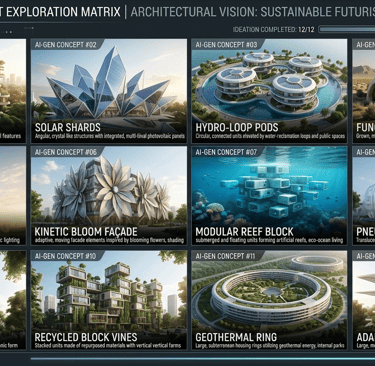
Tasks that once required several hours can now be completed within minutes. Early-stage ideation becomes dramatically faster, allowing designers to test multiple directions before committing to a final concept.
2. Concept Exploration
AI is particularly powerful during the concept phase.
Designers can explore:
• Alternative material palettes
• Furniture styles
• Lighting moods
• Spatial atmospheres
• Seasonal variations
without rebuilding scenes repeatedly.
3. Presentation Impact
Clients often struggle to visualize abstract ideas.
AI-generated concept imagery can communicate mood and design intent much earlier in the design process, creating stronger engagement during presentations.
Where Traditional Rendering Still Wins
1. Accuracy
Construction projects require precision.
Traditional rendering remains superior when:
• Custom millwork is involved
• Material specifications matter
• Furniture dimensions must match reality
• Architectural details need verification
2. Client Revisions
A client may request:
"Move the sofa 300mm."
"Change the marble slab."
"Adjust the pendant height."
Traditional workflows handle these revisions with predictable control.
3. Professional Documentation
Visualization for developers, contractors, manufacturers, and architects still benefits from conventional rendering pipelines because the output directly reflects the underlying 3D model.


The Biggest Misconception About AI Rendering
Many designers believe AI will replace traditional rendering entirely.
In reality, the strongest studios are combining both.
Typical 2026 workflow:
Concept Phase → AI
Design Development → 3D Modeling
Client Approval → Traditional Rendering
Marketing Content → AI Enhancement
The result is faster production without sacrificing quality.
How Designers Can Use Both Together?
An effective workflow might look like:
Step 1:
Build a simple massing or clay model.
Step 2:
Generate AI variations to explore aesthetics.
Step 3:
Select the strongest direction.
Step 4:
Develop the approved design accurately in 3D.
Step 5:
Create final production-quality renders.
This hybrid approach dramatically reduces wasted design hours.
The Business Impact
Studios that adopt AI strategically are often able to:
• Present more concepts
• Respond faster to clients
• Reduce visualization costs
• Improve proposal success rates
• Deliver a more competitive service
However, firms that abandon technical visualization entirely may encounter problems when projects move from concept to execution.
Final Thoughts
AI rendering is not replacing traditional rendering. It is replacing inefficient parts of the design process.
Traditional rendering remains essential when accuracy matters. AI becomes invaluable when speed, exploration, and creative iteration are the priority.
The most successful designers in 2026 are not choosing one side. They are learning how to combine both technologies into a workflow that delivers better design, faster decisions, and stronger client experiences.
Chicspaces
Design faster without designing less.
Navigate
Get in touch
Support available Mon–Fri, 9–6 ET
Remote-first — serving designers worldwide